 TipLedger
For servers, bartenders, baristas and delivery
Every shift counted.
Every tip deducted.
Log cash, card and tip-out in seconds, see what you really make per hour, and keep the tip record you need for the new No Tax on Tips deduction. No ads, no account, and your shifts are never lost.
- No ads on any plan
- No sign-up
- Private iCloud sync
- 30-day undo
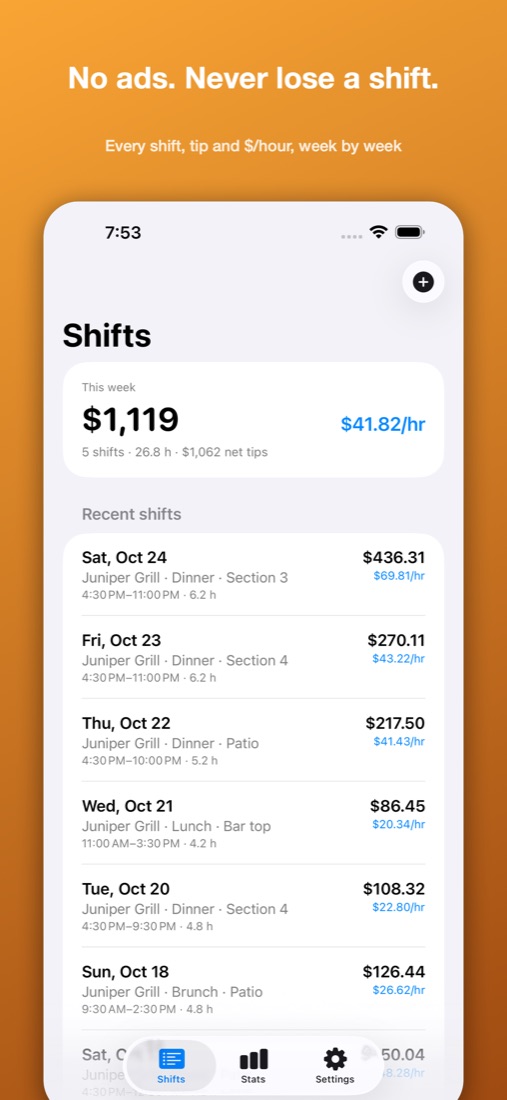
Never lose a shift
The tip log that doesn't betray you
Tip apps lose data, fill up with ads and stop updating. TipLedger is built the other way around.
- Saved on your iPhone and synced through your own private iCloud. We run no server and never see your data.
- Deleted shifts wait 30 days in Recently deleted; every edit is kept in the shift's history.
- Back up to a file in iCloud Drive any time (weekly and automatic with Pro), and restore with a preview first.
- Attach a photo of your checkout slip to any shift.
- Optional Face ID lock that also hides your amounts in the app switcher.
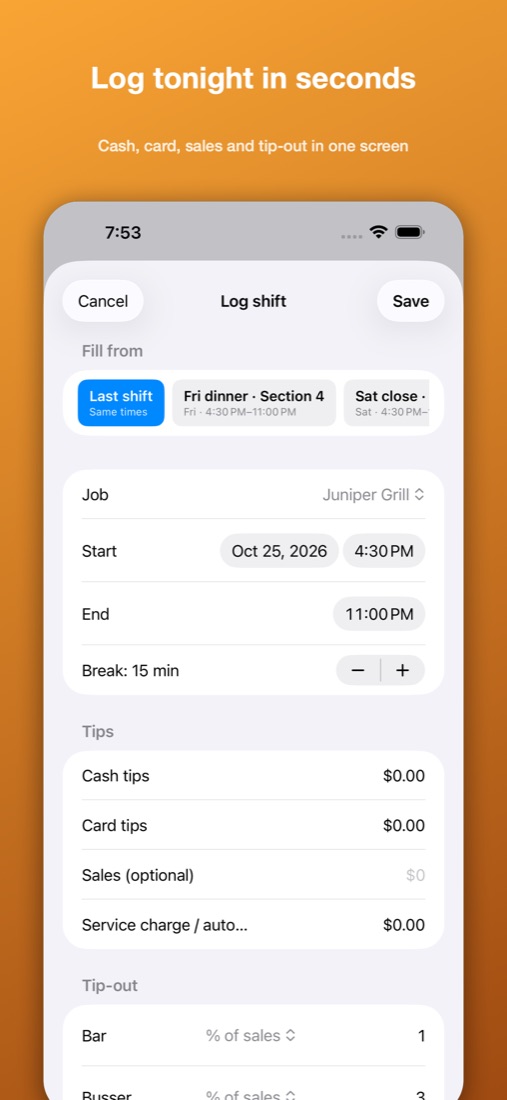
Log a shift in seconds
Cash, card, sales and tip-out on one screen
- Tip-out to busser, bar, runner or host as % of sales, % of tips or a dollar amount; each job's default is filled in.
- Shift templates for your regular shifts: pick "Fri dinner · Section 4" and the rest is done.
- Section, shift type, role, breaks, service charges and notes on every shift.
- Home Screen and Lock Screen widgets, a Control Center button, and Siri: "Log tonight's tips in TipLedger".
- Apple Watch (Pro): pick the job, turn the Digital Crown for cash and card, Save.
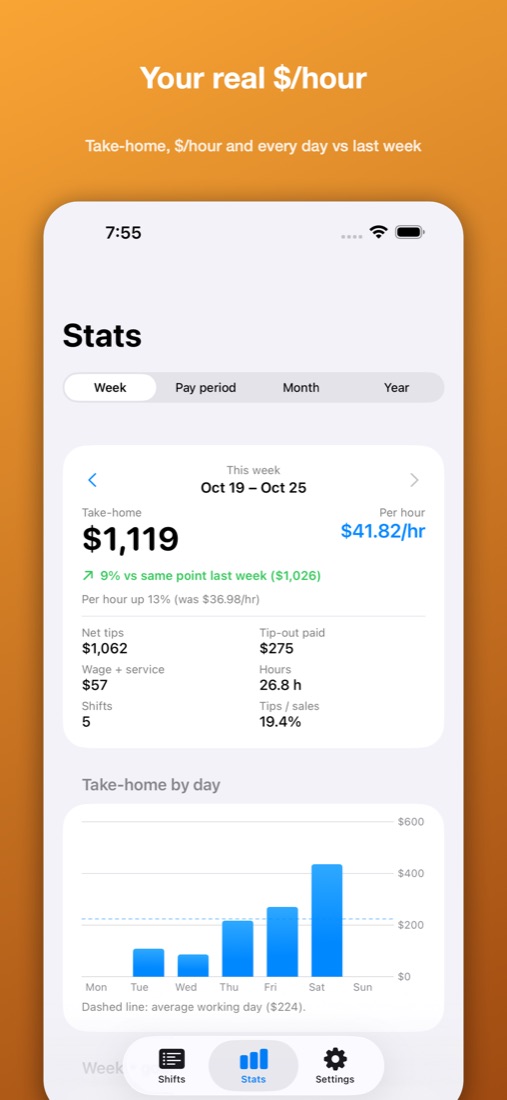
Your real $/hour
Know which shifts are worth asking for
- Net tips after tip-out plus wage, divided by the hours you actually worked.
- This week vs last week at a glance, with a weekly goal.
- Several jobs, each W-2, 1099 or cash, with its own pay period.
- Pro: pay period, month and year totals; $/hour by section, shift type and job (by weekday is free); insights like "Saturday dinner in Section 3 averages $66/hr"; and an earnings calendar.
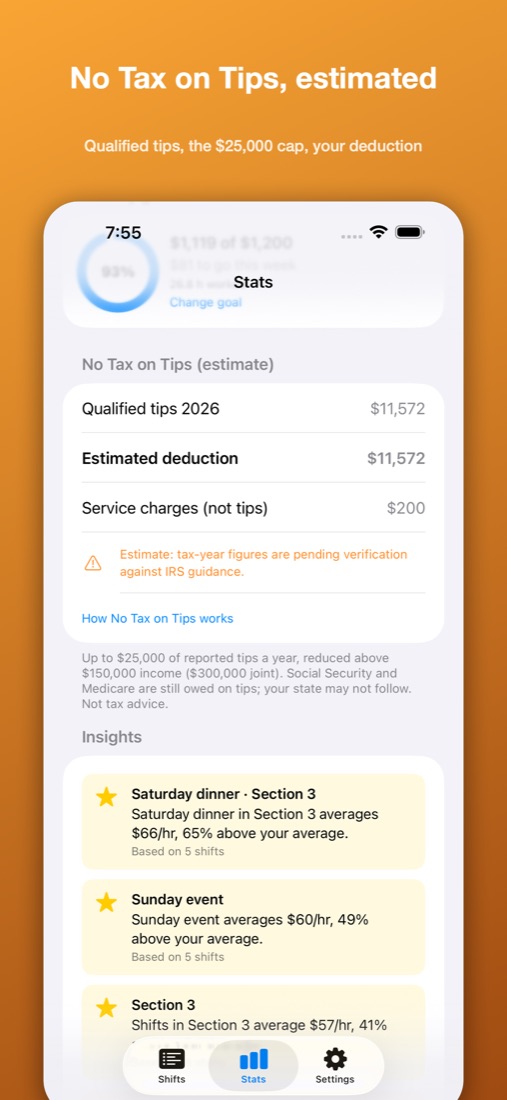
No Tax on Tips, estimated
Built for the new tip deduction (2025–2028)
Qualified tips, year to date
The $25,000 cap and the income phase-out applied for you, with service charges and auto-gratuity kept out automatically.
Reported or not?
Mark which cash tips you reported to your employer, so you know what belongs on Form 4137 before tax time.
8% allocated-tips warning
Log your sales and TipLedger tells you when your tips fall below the IRS 8% benchmark.
Plain English, honest numbers
Always labelled as an estimate. Social Security and Medicare are still owed on tips, and your state may not follow.
Switching apps?
Import a CSV from TipSee, ServerLife, Just the Tips or any spreadsheet. You check the columns before anything is imported, and importing the same file twice skips shifts you already have.
Pricing
TipLedger is free to download. No ads on any plan, no time limit on the free plan.
Free
One job, your 30 most recent shifts (older ones are kept and unlock with Pro), weekly stats and goal, the No Tax on Tips estimate with Show my math, cash tip reminders, templates, widgets, Siri, CSV import and manual backups.
Pro Lifetime
Everything in Pro, forever. No subscription.
Pro Annual
7-day free trial, then $9.99 a year. Cancel anytime in iOS Settings.
Pro Monthly
Try Pro for a busy season.
TipLedger Pro includes
- Unlimited jobs and your full shift history
- Paystub and W-2 checks against your log
- Year-end PDF report and spreadsheet (CSV) export for you or your tax preparer
- Every stats period, all breakdowns, insights and the earnings calendar
- Self-employment tax and quarterly payment estimate for 1099 tips
- Weekly automatic backup to iCloud Drive
- Apple Watch quick-add: cash and card tips with the Digital Crown
Prices in US dollars. Subscriptions renew automatically unless cancelled at least 24 hours before the end of the period.
Tip tax guides
Your data stays yours
No account, no analytics, no tracking, no ads. Your shifts live on your iPhone, in your private iCloud, and in backup files you control. Read the privacy policy or get help on the support page.
Also from us: QuarterLog, mileage log and quarterly tax for 1099 work.